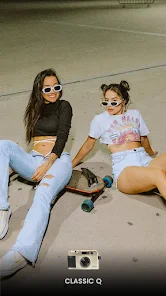
OldRoll Vintage Film Camera Look: How the Film Simulation Works
OldRoll’s vintage film camera look draws people in long before they learn how it actually works. Underneath the nostalgic grain and warm color casts sits a set of deliberate digital techniques designed to mimic real analog film. This guide breaks down exactly what happens when you snap a photo in OldRoll.
Grain: Recreating Film’s Physical Texture
Real film grain comes from light-sensitive silver halide crystals embedded in physical film stock. OldRoll simulates this texture digitally by overlaying a randomized noise pattern onto each photo. Consequently, the grain intensity often varies by camera style, since higher-ISO film stocks historically produced coarser, more visible grain than slower film.
Light Leaks and Lens Flares
Light leaks happen in real cameras when stray light sneaks past a damaged seal and exposes the film edge. OldRoll recreates this happy accident with algorithmic overlays that add warm streaks or colored flashes near the frame’s edges. As a result, every shot carries a small, unpredictable imperfection that feels organic rather than digitally perfect.
Color Grading and Tone Curves
Different film stocks historically rendered colors differently, and OldRoll’s camera styles each apply a distinct tone curve to replicate this. For instance, some styles push warmer yellows and reds to mimic aged film, while others favor cooler, faded blues reminiscent of underexposed rolls. Therefore, choosing a camera style is really choosing a specific color-grading formula.
Vignetting and Edge Darkening
Vignetting occurs naturally in older camera lenses when light falls off toward the frame’s corners. OldRoll applies a similar darkened gradient around the edges of each photo, which draws the eye toward the center subject. In contrast to modern smartphone cameras, which correct for this effect, OldRoll intentionally reintroduces it for authenticity.
Date Stamps and Timestamp Overlays
Many OldRoll camera styles include an optional date stamp in the corner, echoing the built-in timestamp feature found on many point-and-shoot cameras from the 1990s and early 2000s. Additionally, some styles let you customize the font and position, giving you control over how strongly the retro cue reads in the final image.
Why Randomization Matters
Unlike a static Instagram filter, OldRoll introduces slight randomization into grain placement, light leak position, and flash timing with each shot. Consequently, two photos taken seconds apart with the same camera style still look subtly different, just as real film negatives never produce identical results. This randomness is central to why OldRoll feels more authentic than simpler one-tap filter apps.
If you want to see how this compares to a competitor that takes a more minimalist approach, our OldRoll vs Huji Cam comparison looks at how each app balances authenticity against simplicity.
Choosing a Camera Style That Matches Your Aesthetic
Since each camera style bundles a unique combination of grain, color grading, and light leak behavior, testing a few options helps you find your preferred look before committing. Our guide to the best cameras in OldRoll breaks down which styles suit different lighting conditions and moods. Furthermore, revisiting your favorite styles periodically as new ones release keeps your results feeling fresh. Building a small rotation of two or three go-to styles also gives your photo feed a consistent visual identity without feeling repetitive.
Motion Blur and Shutter Simulation
Older cameras with slower shutter mechanisms often produced slight motion blur in low light or fast-moving scenes. Some OldRoll camera styles replicate this by softening edges around moving subjects, which adds a candid, in-the-moment quality to shots. Consequently, this effect works especially well for street photography or casual snapshots where perfect sharpness would look out of place.
Dust and Scratch Overlays
Physical film often picked up dust specks or fine scratches during processing, and OldRoll includes subtle versions of these imperfections in select camera styles. Additionally, these overlays appear at low opacity so they add texture without distracting from the subject. As a result, photos gain a lived-in quality that purely digital filters typically cannot replicate convincingly. Together with grain and light leaks, these small imperfections form the layered effect that makes OldRoll’s output feel closer to a real developed print than a simple color filter.
Frequently Asked Questions
Does OldRoll’s film look reduce photo quality?
The effects are applied as a stylistic layer, so resolution stays largely intact even as grain and color grading change the overall look.
Can I adjust the intensity of the grain or light leaks?
Some camera styles offer adjustable intensity settings, though the level of control varies by which style you select.
Why do two photos with the same camera style look slightly different?
OldRoll randomizes grain placement and light leak position with each shot to mimic the unpredictability of real film.
Is the date stamp feature available on every camera style?
Not all styles include a date stamp option, since some are modeled after cameras that never had this feature originally.
Does OldRoll’s film simulation work on imported photos too?
Yes, imported photos can receive the same grain, color grading, and light leak effects as photos shot directly in the app.

