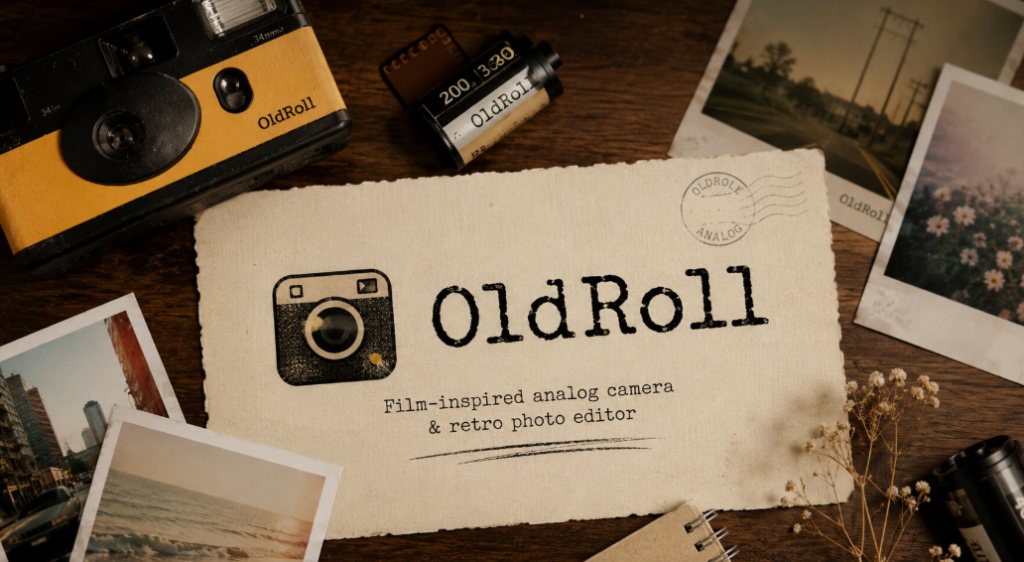
Is OldRoll Worth It in 2026? An Honest Verdict
OldRoll is worth it for most people who want a wide, well-reviewed library of vintage film camera looks in one app — its 4.5-star rating across more than 212,000 Google Play reviews backs that up — but the $12.99–$19.99/year subscription is the real gate: if you only want one or two specific film looks rather than the whole library, a narrower free app may serve you just as well for considerably less money. Here’s the honest, detailed breakdown of exactly where it earns its reputation and where it falls short.
The Case For OldRoll
OldRoll’s biggest strength is breadth. The app’s library spans more than a dozen distinct camera presets — from the rangefinder-style Classic M to disposable-camera presets like TOY F and TOY K, instant-photo styles, lo-fi vintage looks, and specialty effects like the four-grid Booth Cam — plus dedicated video modes for Super 8mm and VHS-style effects. Few competitors match that range in a single app; most either specialize narrowly (a single disposable-camera look) or spread their library across a la carte purchases that add up fast if you want variety.
The rating record backs up the reputation: 4.5 stars across more than 212,000 reviews on Google Play is a large, consistent sample, not a handful of enthusiastic early reviews. That kind of volume is hard to fake and suggests the app delivers a consistent experience across a very large user base, not just a small niche of early adopters.
Beyond the core cameras, OldRoll bundles genuinely useful editing tools on top of its presets — HSL and curve-based color adjustment, editable date-stamp watermarks, light leaks, grain controls, and the ability to save and share custom preset combinations via QR code. That puts it closer to a full editing toolkit than a one-trick filter app.
The Case Against OldRoll
The subscription is the central trade-off. At $12.99–$19.99 per year, OldRoll’s full camera library sits behind a paywall, and free-tier access is limited to a subset of cameras. If your interest in vintage film looks is casual — a few photos a month rather than a regular ongoing habit — that annual cost may not pencil out compared to a free alternative with a smaller but perfectly sufficient library.
The app also isn’t positioned as a general-purpose photo editor. It’s built specifically to apply analog-style effects, not to replace a dedicated editing app for things like advanced retouching, layered composition work, or precise manual exposure control. If you’re looking for an all-in-one photography app rather than a film-look specialist, OldRoll will feel narrower than that.
Finally, several cameras in OldRoll’s library (half-frame, fisheye, double-exposure, and the Quatre collage mode) are listed as upcoming rather than currently available, which means the app you’re paying for today doesn’t yet include everything shown in its own marketing. That’s not unusual for an actively developed app, but it’s worth knowing before you subscribe expecting the complete feature set immediately.
Quick Verdict Table
| Factor | Verdict |
|---|---|
| Camera variety | Strong — one of the broadest libraries among vintage camera apps |
| User rating | Strong — 4.5 stars, 212,000+ reviews (Google Play) |
| Price for casual users | Weak — subscription may not be worth it for occasional use |
| Price for regular users | Strong — flat annual fee covers the entire library |
| General photo editing | Weak — not built as an all-purpose editor |
| Feature completeness | Mixed — several cameras still listed as upcoming |
Who Should Subscribe
OldRoll makes the most sense for people who shoot with vintage-style filters regularly — posting to social media often, experimenting across multiple film looks, or using the app as a creative tool rather than an occasional novelty. For that kind of user, the subscription’s flat rate against a full camera library is genuinely good value compared to buying individual film packs elsewhere, and the consistent rating record suggests the experience holds up under regular use rather than wearing thin.
Who Should Look Elsewhere
If you only want one or two very specific looks — a single disposable-camera style, say — a narrower free app or a one-time-purchase app may cover your needs without an ongoing subscription. Similarly, if you’re looking for a general photo editor with vintage filters as one feature among many, OldRoll’s narrow focus on film simulation means it won’t replace a broader editing app.
How OldRoll Compares on Value
Judged purely on subscription price, OldRoll sits in the middle of the vintage-camera-app field. Fimo’s Pro tier costs more upfront ($29.99/year) and then charges $0.99–$1.99 per additional film pack on top, which means OldRoll’s flat rate becomes the better value the moment you want more than a couple of extra looks. Dazz Cam and NOMO CAM both follow a similar freemium structure to OldRoll — a free tier with a paid subscription unlocking the full library — so the real differentiator between them tends to be library size and editing depth rather than price structure alone. Apps like Huji Cam, by contrast, sidestep subscriptions entirely with a small one-time in-app purchase, but they also offer a single fixed look rather than a library to choose from, which is a fundamentally different trade-off: pay once for one look, or pay annually for many.
That framing matters when judging whether OldRoll is “worth it” — the honest answer depends heavily on how many distinct looks you actually want. Someone who is happy with one specific disposable-camera aesthetic is better served by a cheaper single-purpose app. Someone who wants to switch between a rangefinder look one day, a lo-fi toy-camera look the next, and an instant-photo style after that is exactly who OldRoll’s subscription is priced for.
What the Rating Volume Actually Tells You
A 4.5-star average from a small number of reviews can be misleading — a handful of enthusiastic early adopters can inflate an average that later settles lower as the user base grows. That’s not the case here: 212,000+ reviews on Google Play is a large enough sample that the rating is unlikely to be skewed by a small group of reviewers with unusually strong opinions in either direction. That volume is one of the more objective signals available for judging whether an app holds up under sustained, everyday use rather than just impressing people in their first week.
It’s worth noting that a high review count doesn’t mean every individual feature is flawless — it means the overall experience satisfies enough people, over a long enough period, that the aggregate rating stays high. Reading a sample of recent reviews (rather than only the top-voted ones, which skew toward extremes) is still a reasonable step if you want detail on specific complaints before subscribing.
Weighing the Subscription Against How Often You’ll Actually Use It
The most reliable way to judge whether OldRoll’s price is worth it for you specifically is to estimate your actual usage rather than your aspirational usage. If you post filtered photos to social media multiple times a week, the annual cost breaks down to a small fraction of a cent per use, making it easy to justify. If you expect to use it for a handful of vacation photos once or twice a year, the same subscription price represents a much worse per-use value, and a free tier or a cheaper single-purpose app is likely to serve you just as well for those occasional moments. Being honest with yourself about which category you actually fall into — before subscribing rather than after the fact — is the single best way to avoid regretting the purchase later.
Common Mistakes When Deciding
- Subscribing before testing the free tier. OldRoll’s free tier gives access to a subset of cameras, which is enough to judge whether the app’s overall style and workflow suit you before committing to a year of access.
- Expecting every marketed camera to be available immediately. Some presets (half-frame, fisheye, double-exposure, Quatre) are listed as upcoming rather than shipped, so check the current in-app library rather than assuming the full marketed set is live.
- Comparing only sticker price against competitors without counting individual purchases. A cheaper-looking competitor charging per film pack can end up costing more than OldRoll’s flat subscription once you factor in more than a couple of looks.
What Would Make OldRoll a Better Deal
A few realistic changes would sharpen OldRoll’s value proposition further. Finishing the rollout of its currently-upcoming cameras (half-frame, fisheye, double-exposure, and Quatre) would close the gap between what’s marketed and what’s actually available at checkout, removing one of the more legitimate complaints a prospective subscriber might have. A monthly plan priced meaningfully below the annual rate, for users who want to test the full library during a single trip or project without committing to a year, would also better serve the casual-but-curious segment that currently has to choose between the limited free tier and a full annual commitment. Neither of these is a dealbreaker for the app as it stands today, but they represent the most obvious room for improvement if you’re deciding whether to wait for a future update rather than subscribe now.
Bottom Line
OldRoll earns its strong reputation honestly: a wide camera library, a large and consistent positive rating record, and genuinely useful editing tools layered on top of its film simulations. The subscription is fair value for anyone who will actually use more than a couple of its camera looks regularly, and a weaker deal for anyone who only wants one specific aesthetic or plans to use the app rarely. The most reliable way to decide is to test the free tier first, get a genuine feel for the app’s workflow and the look of its unlocked cameras, and then judge the subscription against your own realistic, honest usage pattern rather than the size of the library alone.
Frequently Asked Questions
Is OldRoll worth the subscription price?
For regular users who want access to a wide camera library, yes — the flat annual fee ($12.99–$19.99) covers the entire library, and the app’s 4.5-star rating across 212,000+ reviews supports its reputation. For casual or occasional users, a free alternative may be more cost-effective.
Can I use OldRoll for free?
Yes, OldRoll offers a free tier with a limited selection of cameras; the full library requires the paid subscription.
Is OldRoll a good replacement for a full photo editor?
No — OldRoll is built specifically for film-look simulation and includes some editing tools (HSL/curve adjustments, date stamps, light leaks), but it isn’t designed to replace a general-purpose photo editor for tasks like advanced retouching or layered composition.
Are all of OldRoll’s advertised cameras currently available?
Not all of them — several cameras, including half-frame, fisheye, double-exposure, and the Quatre collage mode, are listed as upcoming rather than currently shipped, so check the in-app library before assuming the full set is live.
Related Reading
See our full OldRoll review for a features breakdown, or the complete camera list to see exactly what’s included.

