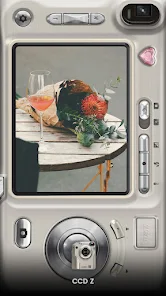
OldRoll Login Issues: How to Fix Sign-In Problems
OldRoll login issues usually come down to a small number of predictable causes, from outdated app versions to simple connectivity hiccups. This guide walks through each fix in order, so you can get back to shooting without losing your saved presets or purchase history.
Confirm Your Internet Connection
Sign-in requires a stable internet connection, so start by checking whether other apps load normally on your device. Consequently, switching between Wi-Fi and mobile data can quickly rule out a network-specific problem. If other apps also struggle to connect, the issue likely sits with your connection rather than OldRoll itself.
Double-Check Your Login Credentials
Typos in your email address or password are a common cause of failed sign-ins. Therefore, carefully retype your credentials rather than relying on autofill, which occasionally inserts outdated saved information. Additionally, confirm you are using the same sign-in method, such as email or a linked social account, that you originally used to create your OldRoll account.
Reset Your Password If Needed
If you cannot recall your password, use the app’s password reset option to receive a reset link by email. As a result, checking your spam or junk folder is worthwhile if the reset email does not appear within a few minutes. Once reset, try signing in again with the new password immediately.
Update OldRoll to the Latest Version
Outdated app versions sometimes lose compatibility with the current login server, causing sign-in attempts to fail silently. Consequently, checking the App Store or Google Play Store for a pending update resolves this in many cases. Furthermore, developers often patch authentication bugs in routine updates, so staying current reduces future login problems as well.
Clear Cache Without Losing Your Account
On Android, clearing the app’s cache through Settings can resolve a stuck login screen without deleting your account data. However, clearing full app data instead of just cache will sign you out completely, so use that option only if cache clearing alone does not help. Our crash troubleshooting guide covers similar cache-clearing steps in more detail.
Check for Server-Side Outages
Occasionally, login issues stem from a temporary problem on the developer’s servers rather than anything on your device. Therefore, checking OldRoll’s official social media accounts or community forums can confirm whether other users are reporting the same issue. If so, waiting a short period before retrying often resolves server-side outages once they are fixed.
Verify You Are Using an Official App Version
Modified or unofficial app builds sometimes break the login system entirely, since they bypass the developer’s authentication server. Our official download guide explains how to confirm you have a genuine copy of the app. As a result, reinstalling from an official source resolves login issues tied to a corrupted or modified build.
When to Contact Support
If none of these steps restore access, contact OldRoll’s support team through the app store listing and include your account email, device model, and a description of the error. Consequently, detailed reports help the support team resolve account-specific issues, such as accidental suspensions or email verification problems, faster than generic troubleshooting alone. Keeping a record of your original sign-up date and payment method also speeds up account verification if support needs to confirm your identity.
Signing In with Social Accounts
If you originally signed up using a social account rather than email, login failures can occur when that linked account’s own password or permissions change. Consequently, checking whether your social account still grants OldRoll access through its own settings page can resolve unexpected sign-in blocks. Additionally, revoking and then re-authorizing OldRoll’s access from your social account settings sometimes clears a stuck authentication token.
Switching Devices and Login Persistence
Moving to a new phone occasionally requires signing in again from scratch, even if you remained logged in on your previous device. Therefore, keeping your account email and password recorded somewhere secure makes this transition smoother. As a result, testing your login on the new device before uninstalling OldRoll from the old one helps confirm everything transfers correctly. This small extra step avoids the frustration of losing access mid-transfer between an old and new phone.
Frequently Asked Questions
Will I lose my premium purchases if I cannot log in?
No, purchases remain tied to your account and typically restore automatically once you successfully sign back in.
Why does OldRoll say my password is incorrect when I know it is right?
Autofill errors or a recently changed password are common causes, so retyping credentials manually often resolves this.
Can I use OldRoll without signing in at all?
Basic camera features may work without an account, though saved purchases and preferences typically require signing in.
How long do password reset emails usually take to arrive?
Reset emails typically arrive within a few minutes, though checking your spam folder helps if it seems delayed.
Does reinstalling OldRoll fix login problems?
Reinstalling can help if the issue stems from a corrupted app file, though account-specific issues usually require a password reset or support contact instead.

